Computer Hardware


Showing posts with label Input Device. Show all posts

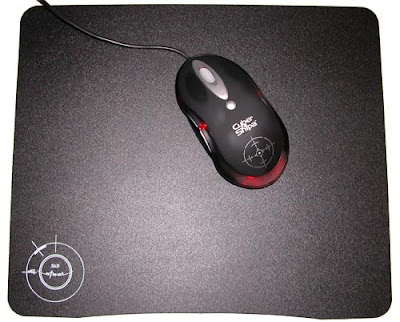
Mousepad


Mousepad


A mousepad is a surface for enhancing the usability of a computer mouse. Modern mousepads are typically made of lesser density rubber composites with fabric bonded to the upper surface. However, many other types of material have been used, including fabric, plastics, recycled rubber tires, silicone rubber, leather, glass, cork, wood, aluminum, stone and stainless steel. High-quality gaming mats are usually made from plastic, aluminum or high-tech fibers.


Graphics tablet


Description

A graphics tablet (or digitizing tablet, graphics pad, drawing tablet) is a computer input device that allows one to hand-draw images and graphics, similar to the way one draws images with a pencil and paper.
A graphics tablet consists of a flat surface upon which the user may "draw" an image using an attached stylus, a pen-like drawing apparatus. The image generally does not appear on the tablet itself but, rather, is displayed on the computer monitor.


Webcam


Description


Webcams (web cameras) are small cameras (usually, though not always, video cameras), whose images can be accessed using the World Wide Web, instant messaging, or a PC video conferencing application. The term webcam is also used to describe the low-resolution digital video cameras designed for such purposes, but which can also be used to record in a non-real-time fashion.

Web-accessible cameras involve a digital camera which uploads images to a web server, either continuously or at regular intervals. This may be achieved by a camera attached to a PC, or by dedicated hardware. Videoconferencing cameras typically take the form of a small camera connected directly to a PC. Analog cameras are also sometimes used (often of the sort used for closed-circuit television), connected to a video capture card and then directly or indirectly to the internet.


Comunication on PC with webcam

Scanner


Scanner (Canon CanoScan 8400F)

Scanner

Description

In computing, a scanner is a device that optically scans images, printed text, handwriting, or an object, and converts it to a digital image. Common examples found in offices are variations of the desktop (or flatbed) scanner where the document is placed on a glass window for scanning. Hand-held scanners, where the device is moved by hand, were briefly popular but are now less common due to the difficulty of obtaining a high-quality image. Mechanically driven scanners that move the document are typically used for large-format documents, where a flatbed design would be impractical.


Mouse


Example image: Mouse (A4 mini-mouse)


Example image: Mouse

Description

In computing, a mouse (plural mice or mouses) functions as a pointing device by detecting two-dimensional motion relative to its supporting surface. Physically, a mouse consists of a small case, held under one of the user's hands, with one or more buttons. It sometimes features other elements, such as "wheels", which allow the user to perform various system-dependent operations, or extra buttons or features can add more control or dimensional input. The mouse's motion typically translates into the motion of a pointer on a display, which allows for fine control of a Graphical User Interface.


Optical mouse

Keyboard


Keyboard (standar)


Multimedia keyboard

Description

Physically, a keyboard is an arrangement of buttons, or keys. A keyboard typically has characters engraved or printed on the keys; in most cases, each press of a key corresponds to a single written symbol. However, to produce some symbols requires pressing and holding several keys simultaneously or in sequence; other keys do not produce any symbol, but instead affect the operation of the computer or the keyboard itself.